Release 2609: Ledger hardware wallets and additional BitHide protection
 9
Welcome to BitHide 2609! This update introduces support for Ledger hardware wallets and new server-level protection mechanisms for BitHide. We’ve also improved Proxy Payments and wallet usability and added automatic delivery of AML check results.
Now, with BitHide, you can:
- Work with Ledger hardware wallets while keeping the seed phrase and private keys on the physical device. You can view addresses and balances in BitHide without keeping Ledger connected, while sending funds requires user confirmation and transaction signing on the device.
- Use new server-level protection mechanisms for BitHide: component integrity checks before startup and process protection with AppArmor.
- Streamline day-to-day work in BitHide: receive AML check results automatically via callback, work with Proxy Payments based on wallet access permissions, and perform common crypto address actions faster.
Ledger hardware wallet integration
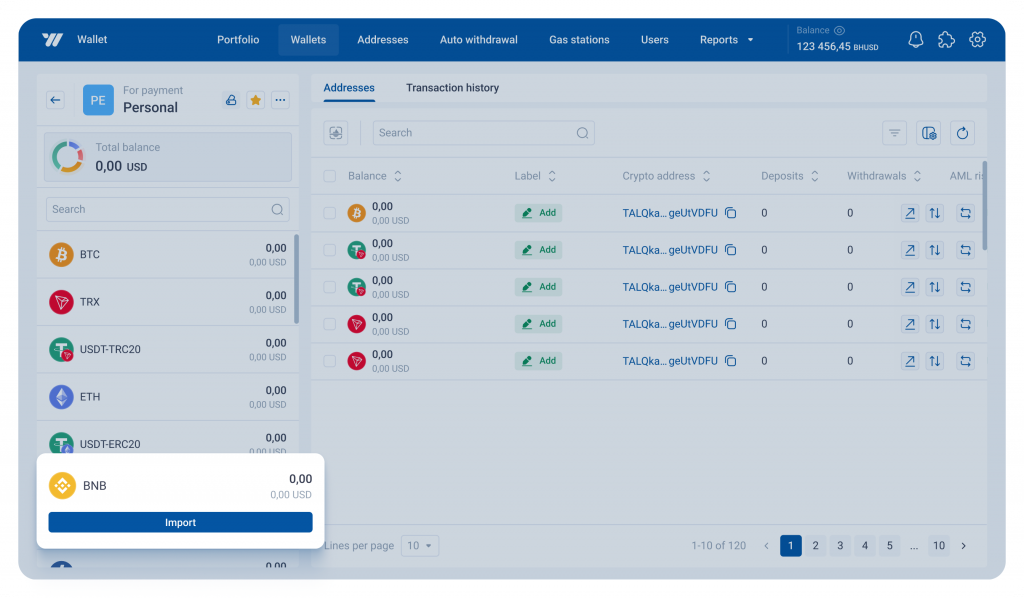
BitHide now supports Ledger hardware wallets. You can add a Ledger wallet to BitHide and manage its addresses and balances from the application while keeping the seed phrase and private keys on the device. They are never transferred to BitHide.
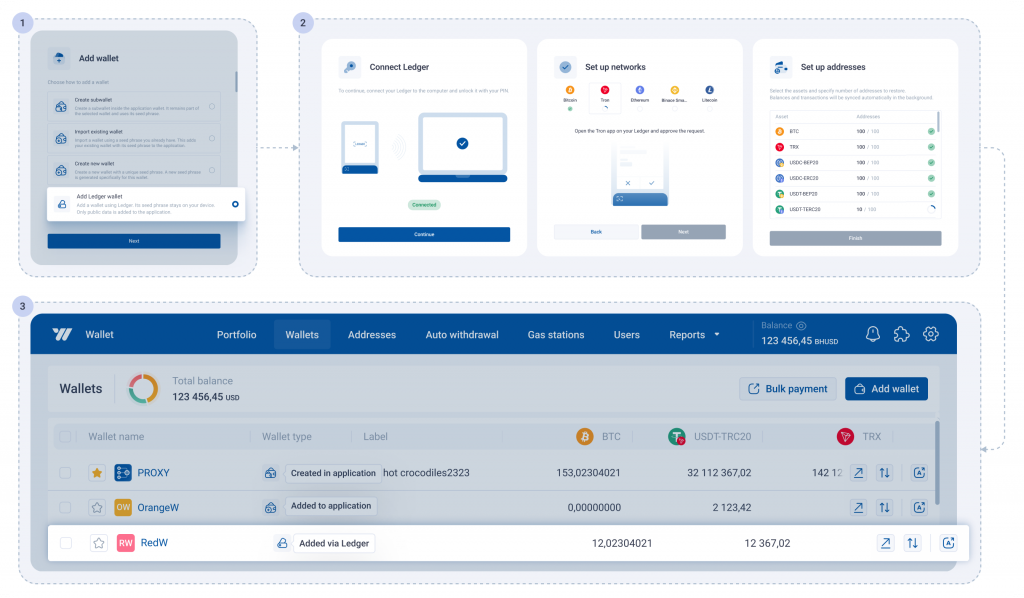
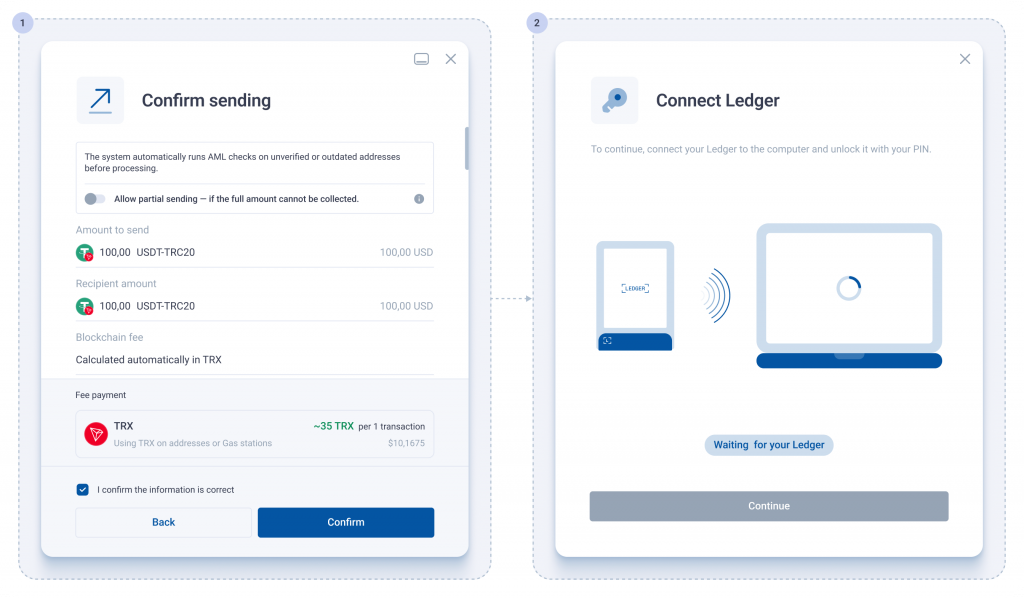
When you connect a supported network, Ledger provides BitHide only with the public data required to generate addresses. Once you add a network, you can create and sync new addresses without reconnecting the device. Ledger is required again only when sending funds: BitHide prepares the transaction, the user confirms it on the device, and Ledger signs it.
It supports Bitcoin, Litecoin, Tron, Ethereum, and Binance Smart Chain. When adding a Ledger wallet, you can connect only the networks you need and add any other supported networks later without adding the wallet again.
Business value
- Reduced risk of private key exposure. The seed phrase and private keys remain on Ledger and are never transferred to BitHide. Transactions are signed on the device only after the user confirms them.
- Convenience without giving up hardware protection. You can create and synchronize addresses and view balances without keeping Ledger connected. The device is required again only when sending funds.
- Flexible multi-network setup. You can gradually add supported networks to the same Ledger wallet without creating a new wallet.
Comprehensive BitHide security enhancements
This release adds two complementary layers of server-level protection for BitHide: component integrity verification before startup and additional runtime protection with AppArmor.
Business value
- BitHide integrity verification before startup. Digital signature verification prevents BitHide from starting if its executable files, modules, or plugins have been modified or replaced.
- Additional protection while BitHide is running. AppArmor limits both other processes’ access to BitHide and BitHide’s access to server resources to what it needs for normal operation.
File integrity verification at startup
BitHide files are digitally signed when a release is prepared. Each time BitHide starts, it verifies the signatures of its executable files, modules, and plugins and proceeds only after confirming their integrity.
If a file has been modified or replaced, or its signature cannot be verified, BitHide does not start. Any files that fail verification are recorded in the alert log so the administrator can identify what prevented startup.
Additional process protection with AppArmor
New BitHide deployments include additional operating system-level protection with AppArmor. During deployment, the system automatically checks whether AppArmor is available on the Linux server, installs it if necessary, and activates the BitHide security profile.
The profile allows BitHide to access only the resources required for normal operation and blocks unauthorized interaction from other processes, including access through ptrace and unauthorized signals. This limits another process’s ability to interfere with BitHide or access its memory.
These restrictions apply only to BitHide and do not change the policies governing other processes on the server.
Wallet-based access control for Proxy Payments
Proxy Payments now respect each user’s wallet access permissions. In the Proxy Payments tab, users see only the payment source wallets they can access and can search and filter payments by those wallets.
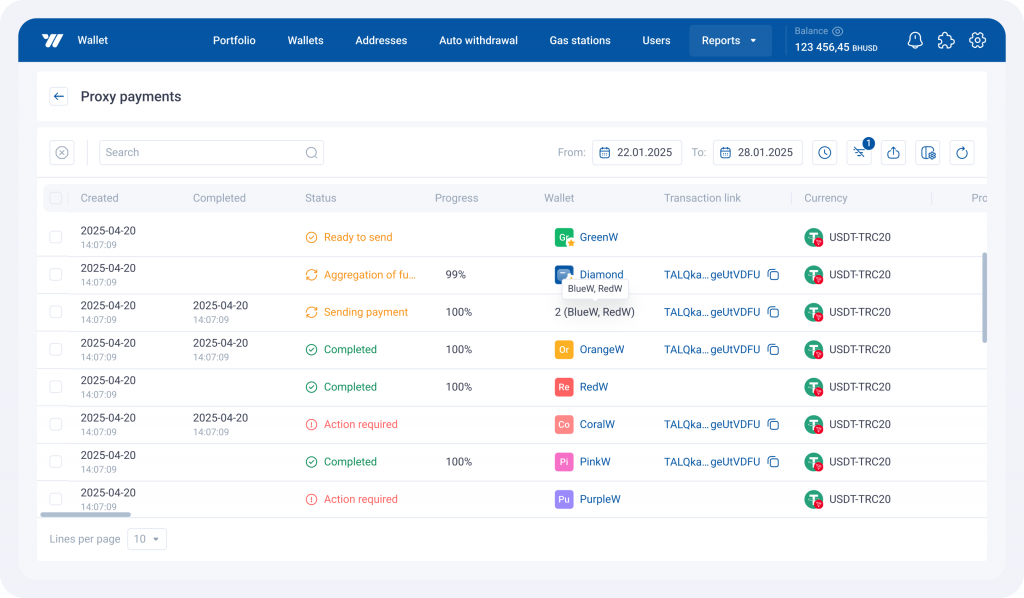
When viewing aggregation transactions for a Proxy Payment, BitHide applies the user’s access permissions: aggregation transactions are shown only for wallets available to that user, together with the payment’s final transaction. Transactions from inaccessible wallets and from other Proxy Payments are not displayed.
Business value
- Confidentiality of financial data. Wallet-based access control prevents users from viewing aggregation transactions for wallets they are not authorized to access.
- Faster analysis of Proxy Payment fund flows. Aggregation transactions and the final transaction for the selected payment are shown together, so users don’t need to match them across wallets manually.
- Easier management of large numbers of Proxy Payments. Source wallets appear directly in Proxy Payments, where you can search and filter relevant payments.
Automatic delivery of AML check results
BitHide now automatically sends the results of completed AML checks via callback to the client’s configured address. This applies to both automatic deposit checks and checks initiated through the API.
The callback includes the check status, risk score, detected risk factors, and other data required for further processing. Results are delivered through the existing callback mechanism with integrity and delivery controls.
Business value
- Less manual monitoring of AML checks. Results are automatically delivered to the client’s internal systems once a check is complete, so there is no need to poll the API regularly.
- Easier use of AML results in internal workflows. Check data is delivered via callback in a structured format and can be used automatically for monitoring, analytics, and other internal processes.
- Lower risk of lost or duplicate processing. If the configured address is temporarily unavailable, BitHide retries delivery. Once BitHide successfully delivers a result, it does not resend it.
Wallet usability improvements
Key actions for crypto addresses are now available directly from the wallet address list. Click an address to copy it, or use the adjacent buttons to open Transaction History or view the address in an external blockchain explorer. When Transaction History opens, BitHide automatically inserts the selected address and applies the corresponding filter.
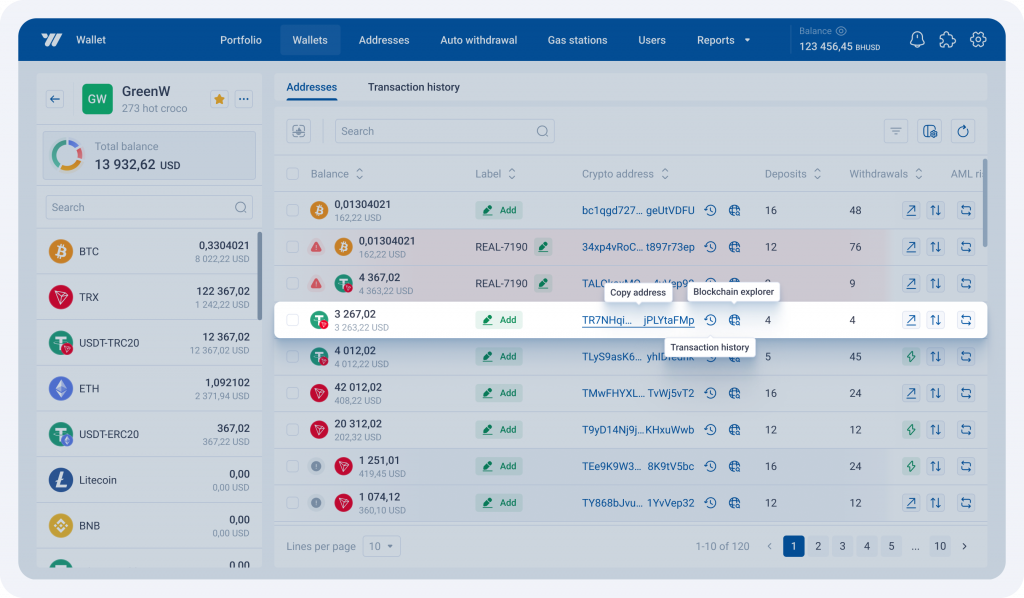
Quick copying is also available for Proxy addresses in Proxy Payment details. You can view the full address on hover and copy it directly from the payment window.
Business value
- Faster review of activity for a specific address. Transaction History opens with the selected address already applied as a filter, so you don’t need to copy it manually and configure the search.
- More convenient crypto address management. Key actions are available right next to the address, reducing the steps needed to copy or review it.
Important: migration to port 443
Starting with the next BitHide update, external connections through ports other than 443 will no longer be supported. To ensure a smooth migration, we recommend moving your existing integrations to the standard HTTPS port 443 in advance.
If you need help with the migration, please contact BitHide Support.
Thank you for choosing BitHide.
See you in future updates!